 CloosphereAll Your AI, Safely in One Place.
 Agents that use your data and tools,
and ask before they write
The agent picks whatever it needs from the Knowledge Base, databases, the glossary, and external tools, and combines them. It asks a clarifying question when it needs one, gets approval before it changes any data, and hands off the result as a document file.
Three points where a chatbot stops short
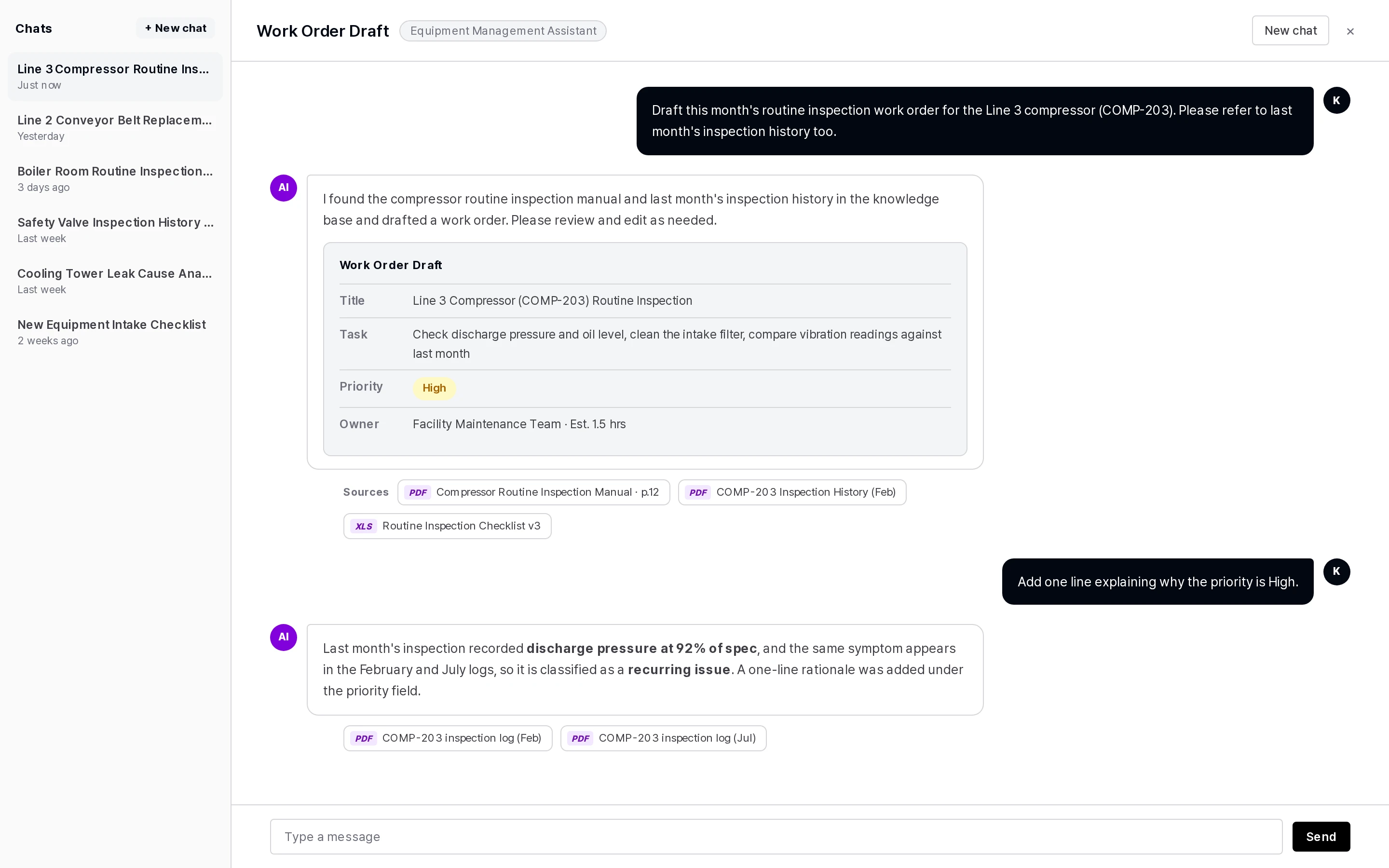
Chatbots don't know your internal systems
Connect an agent to the Knowledge Base, a database, the glossary, and MCP tools, and it answers with internal context.
You get an answer, but someone still has to copy it into a document by hand
Generate PPT, Word, and Excel files — or Google Docs — right from the conversation.
Letting AI take action feels risky
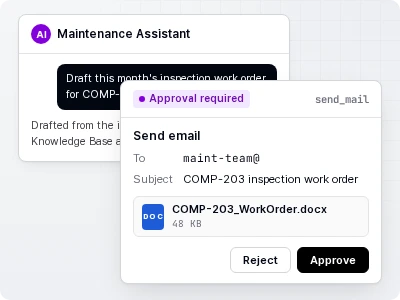
Write actions like sending email or changing data need approval through a confirmation card right before they run.
Building, connecting, and running agents
AI chat
- Chat with any of several organization-approved LLMs.
- File attachments, SharePoint document attachments, voice input, image generation.
- Sources are shown as numbered chips, and only the sources actually cited appear. Web search sources are marked with the site icon.
- Suggests follow-up questions after each answer.
Agents
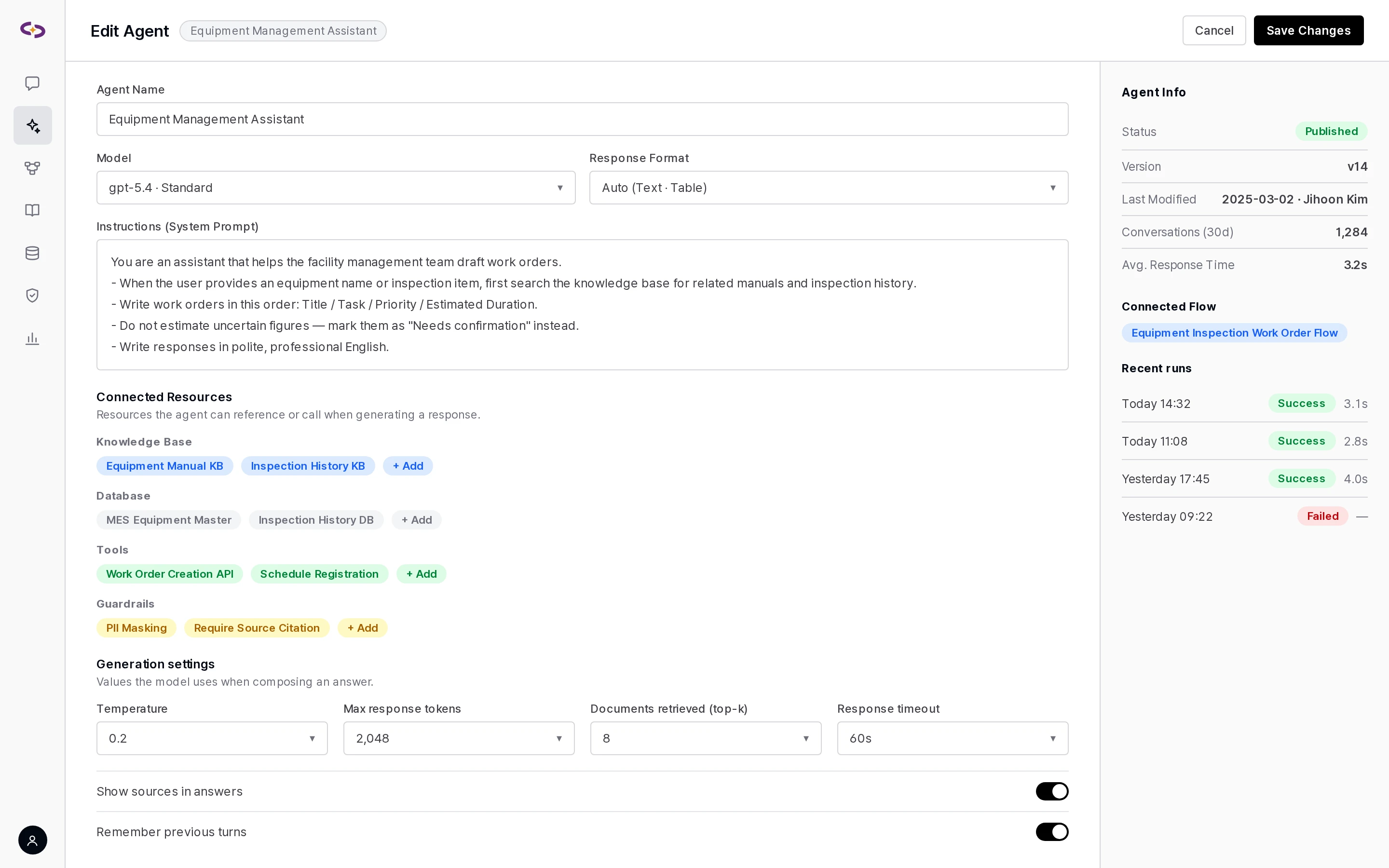
- Connected resources: Connect a Knowledge Base, database, glossary, knowledge graph, tools, and skills to each agent individually.
- Capabilities: For each agent, set web search, image generation, Gmail, Calendar, and Drive to hidden, on by default, or off by default — deciding what appears in chat and what users can switch themselves. Document generation (PPT · Word · Excel) is also enabled per agent.
- Clarifying questions and approval: If information is missing, it asks with a set of options; write actions are confirmed with an approval card before running.
- Answer templates: Register multiple templates and it answers using the one that fits the question.
- Rules: Rules declared on an agent are always applied, with nothing skipped.
- Multi-step requests: Plans out the steps first, and won't report completion if a step is missing.
- Prompt version control: Every save keeps a version you can compare and restore.
Flows
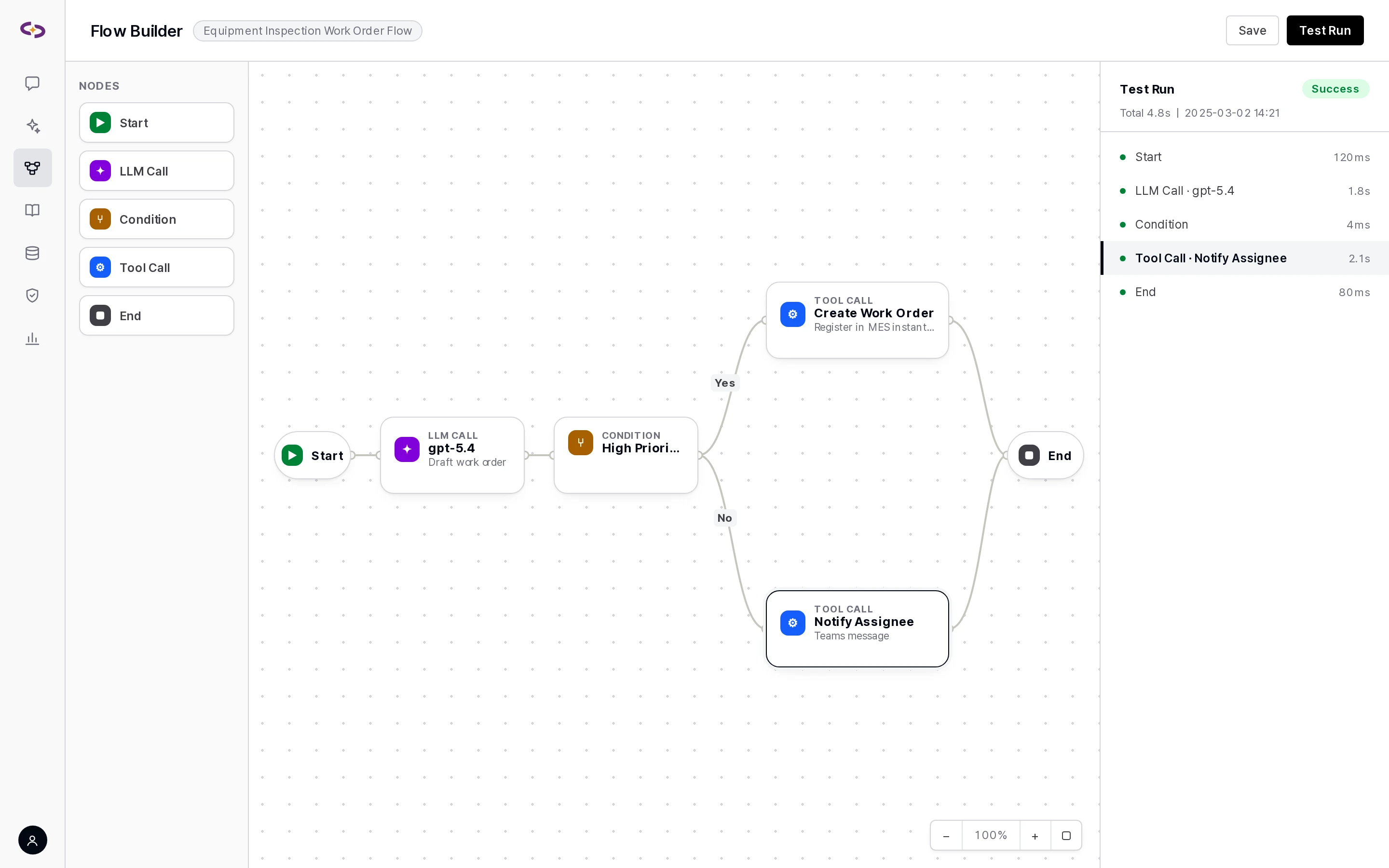
- Connect multiple agents and logic with a no-code visual builder.
- Node families: Agent (agent · model · supervisor), Logic · data (condition · router · merge · transform · loop · subflow), and Control · safety (approval gate · guardrail).
- Agent nodes use the exact agents you've already built in the workspace.
- Run a draft instantly with Test Run and follow progress node by node in the run history. Version control is supported.
Document generation
- Ask in a conversation and it actually generates PPT, Word, and Excel files.
- Once an admin registers your company's master template, it fills the cover, duplicates body slides, and adds data sheets to match your internal format exactly.
- Edits an attached Excel file cell by cell, row by row, column by column, or sheet by sheet, keeping formulas and formatting intact.
- Creates and edits Docs, Sheets, and Slides in Google Drive. When it's done, a completion card with the title and link stays in the conversation.
Skills
- Register a bundle of scripts as a skill and connect it to an agent. The skill editor can draft one for you with AI.
- Skill file changes are automatically versioned and can be rolled back.
Connecting tools
- MCP: Connect with an API key, a Bearer token, OAuth, or Cloosphere SSO token passthrough, or without authentication. Choose, tool by tool, which of the server's tools users can see. For each connection, choose whether tool definitions are exposed as-is or routed through a selector.
- OpenAPI: Register your internal API spec as a tool.
- Automatic read/write classification: OpenAPI and MCP tools are automatically classified as read or write, and write tools never run without approval. The classification can be changed per tool.
- Google Workspace: Search and compose across Gmail, Calendar, and Drive in natural language. Features without connection permission stay hidden, and every send is recorded in the Google Workspace send log. Admins turn the integration on or off.
Scheduled runs
- Run an agent task at a set time. Scheduled runs can also use web search and Google Workspace lookups, and attach sources to the result.
- Scheduled runs are shared with read or write permission, and always execute with the creator's permissions — so sharing never escalates access.
Where people use it
- Web app: Rebrand with your own logo, favicon, and splash screen to run as an internal service.
- Microsoft Teams bot: Pick an agent and chat with it right inside a Teams conversation. Set up and deploy it from the admin screen.
- Embed widget: Add it to an internal portal or groupware with a single script tag. Bubble, side panel, bottom panel, inline, or full-screen display; color, size, and icon can be customized; SSO token exchange or guest mode; allowed domains can be restricted. The agent can even fill in a form or click a button on the page the user is looking at.
Chat, tool connection, and agent editing screens
One question goes to two models at once, and the answers are laid out side by side.
Related integrations
- LLM connection types (5 + OpenAI-compatible) → Integration specs · LLM
- Tools · protocols → Integration specs · Tools
- Voice · image generation → Integration specs · Voice · Image
Flows, the embed widget, document templates, and branding are included from the Professional tier; tools and image generation are included from the Standard tier. Marketplace skills are a separate add-on. → Pricing · licensing
Related updates
Tools Choose the tool exposure mode for MCP connections
Agents GPT-6 family model support
Agents Full application of agent rules
We show an agent connected to your own documents and tools
We set up a demo environment based on your deployment method, integration scope, and governance requirements.