 CloosphereAll Your AI, Safely in One Place.
 One product for the questions AI raises in an organization
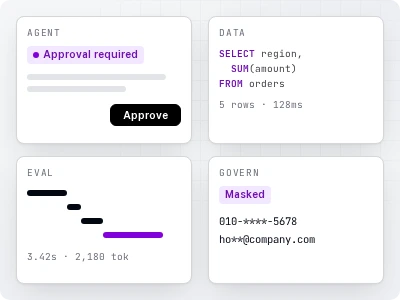
Bringing AI into an organization raises four questions at once. What will we use it for? How does it connect to our data? How do we know the answers are right? How do we prevent incidents? You don't have to buy these four separately and stitch them together.
Where organizations usually get stuck
The pilot works, but it never reaches production
Standing up one chatbot is quick. But as more departments join, permissions, limits, and logging end up managed by hand — and that's where it stalls.
Connecting internal data makes it risky
Linking documents and databases improves the answers, but you need a way to know who saw what, and whether personal information ever reached the model.
When an answer is wrong, you don't know why
If you can't tell whether it was retrieval, the SQL, or the model, you can't fix it.
Four pillars
Agents & flows
Works with your data and tools, and asks before writing
Key features Agents · flows · document generation · MCP/OpenAPI tools · scheduled runs More about Agents & flows →Data
Answers grounded in your documents and databases
Key features Knowledge Base · Data analysis (natural language → SQL) · Glossary · Knowledge Graph More about Data →Evaluation · observability
Every answer leaves a trail, and quality shows up as numbers
Key features Traces · automatic quality evaluation · Arena · usage and cost estimation More about Evaluation · observability →Governance
Let people use it, but keep it under control
Key features Guardrails · audit logs · 3-tier permissions · token limits · Code Gateway More about Governance →How a single question flows through the system
- 1 A user asks a question
From web chat, Microsoft Teams, or an embed widget in an internal system.
- 2 Guardrails see it first
Personal information like resident registration or bank account numbers, and banned words, are blocked, deleted, or masked per policy.
- 3 The agent picks what it needs
It combines Knowledge Base search, DB lookups (SQL), the glossary, and external tools as needed. Anything that changes data requires human approval before it runs.
- 4 The LLM in your account writes the answer
The model is called from an organization-approved list, within per-user, per-group, and per-organization token limits.
- 5 The whole process is recorded
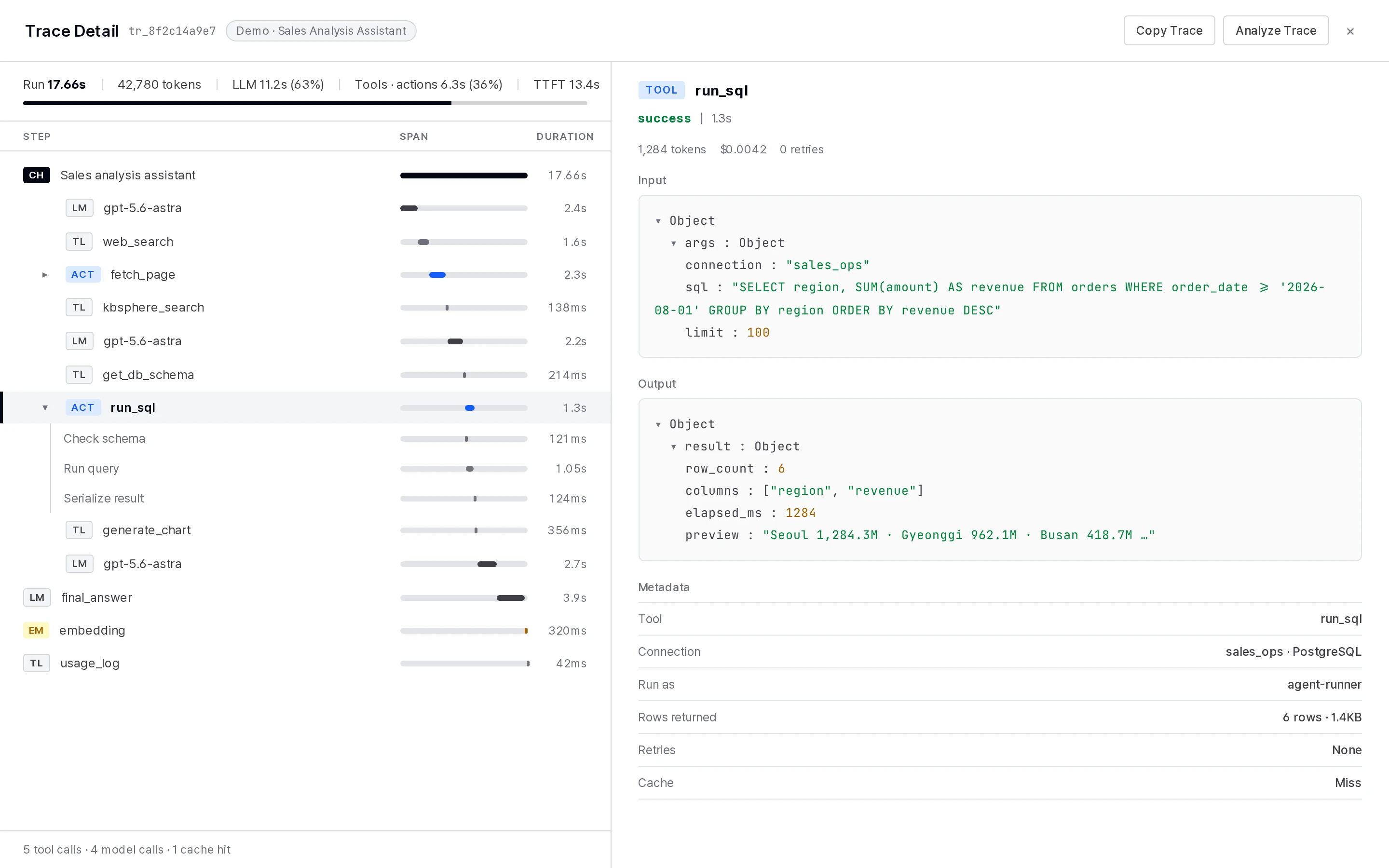
Call order, time taken, and tokens are captured in a trace; configuration changes are captured in the audit log; and agents with automatic evaluation turned on accumulate answer-quality scores.
Self-hosted, with features chosen by tier
Your cloud (Azure · Google Cloud · AWS), on-premises, or air-gapped network. → Security · deployment
Called directly from your own account. The platform doesn't add any margin to your LLM usage.
Basic · Standard · Professional · Enterprise — 4 tiers. Audit logs and guardrails start at Standard; data analysis, flows, traces, and evaluation start at Professional; Code Gateway, global guardrails, encryption (KMS), and the knowledge graph are included in Enterprise. → Pricing · licensing
Monthly scheduled releases. → Release notes
We show the four pillars working as one flow
We set up a demo environment based on your deployment method, integration scope, and governance requirements.